
LAST CHANCE: This Offer is NOT Availalbe in the Regular MattK Store
get the bundle and save over 40%
Course Bundle by Matt Kloskowski
Texture Blending Bundle
Transform your photos in to Creative works of Fine Art…
Your Photos… Reimagined with Texture
Example Projects from the Texture Blending Course


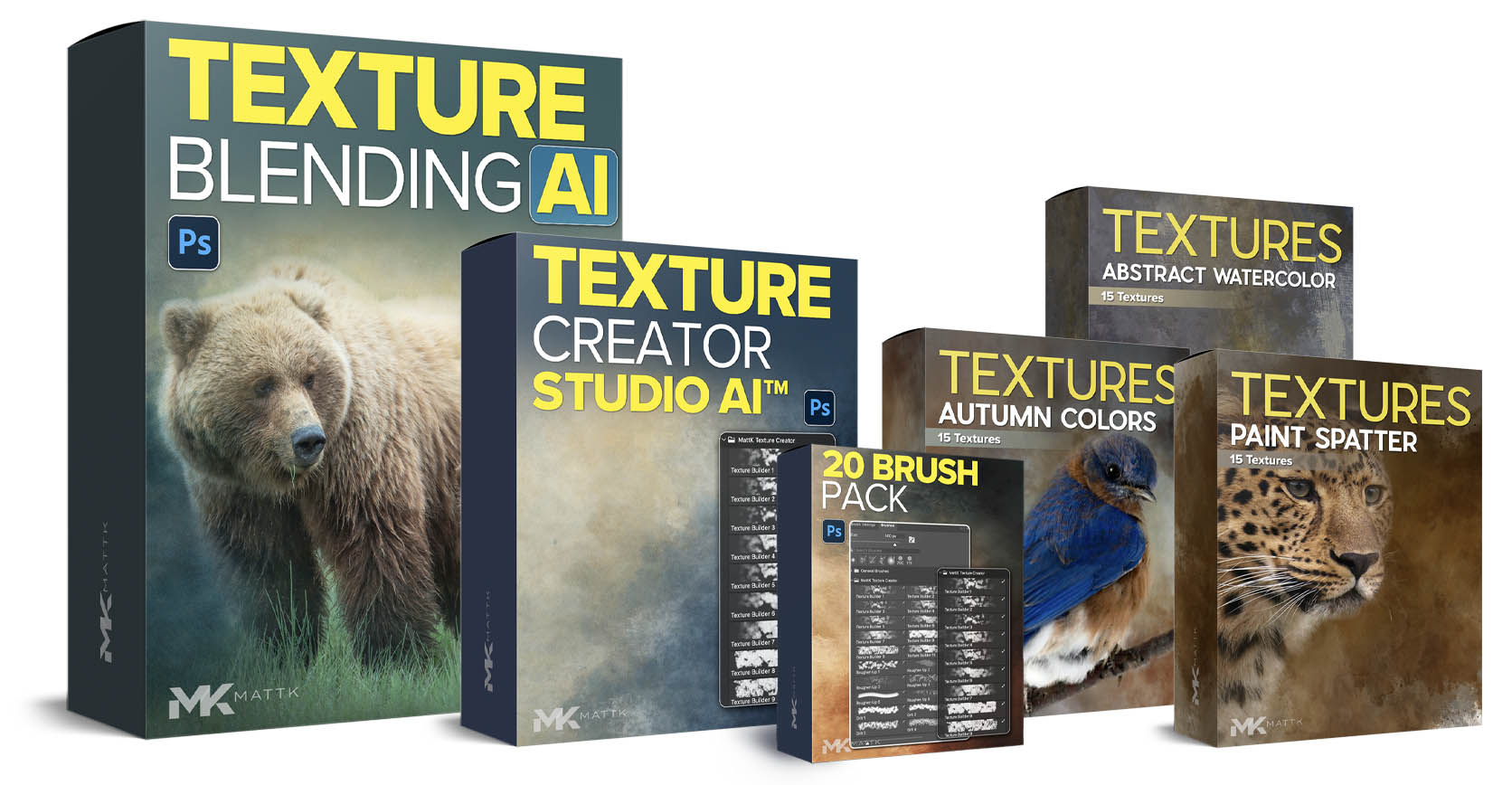
“complete edition” bundle Contents
One Time Bundle Offer Not Found In My Regular Store… $129.99

TEXTURE BLENDING AI COURSE
Learn how to blend textures with your photos in Photoshop to create unique, artistic images. The course covers selections, masking, color matching, edge refinement, and finishing techniques, with follow-along files included.

TEXTURE CREATOR STUDIO AI
Learn how to create your own unique textures from scratch using Photoshop brushes. This one-hour mini course includes 20 exclusive texture brushes and step-by-step training for building original textures you can use in your own creative images.

ABSTRACT WATERCOLOR TEXTURE PACK
Give your photos a more artistic, expressive look with 15 high-resolution abstract textures. These versatile textures are ideal for adding color, depth, and visual interest to a wide variety of images.

AUTUMN COLORS TEXTURE PACK
Add warmth, richness, and seasonal color to your photos with 15 high-resolution textures inspired by the tones of autumn. Perfect for wildlife, landscapes, travel, still life, and other creative images.

PAINT SPLATTER TEXTURE PACK
Create bold, painterly effects with 15 high-resolution paint-spatter textures. Use them to add energy, movement, and a distinctive artistic finish to wildlife, landscape, travel, or still-life photos.
OR GET THE STARTER PACK
Get the starter pack
The starter pack includes:
- Download lifetime replay of the webinar
- Download webinar follow along files
- 2 more follow along files + 2 more textures
- Video tutorial on using the new images
- Submit your image to me for 1 written critique/review
What You’ll Learn?
This Isn’t About “Fixing” Photos…
It’s about creating something Fun, Unique and Artistic.

What Photos Work Best
Not every photo works for texture blending. Picking the right photo and right texture can make your break your image.
You’ll learn what I look for (and why) when selecting a photo for texture blending, as well as what I look for in a texture.

Brushing and Blending Techniques
Get access to my all new brushing and blending techniques in 2025 when it comes to texture blending. These are tools and techniques that I’ve refined over the last 5 years since the original release of this course.

Work with any subject
I often heard that the original texture blending course concentrated too much on wildlife. In this latest course, I cover several subjects such as landscapes, flowers, wildlife, and coastal photos.

Quick Selection Techniques
Everything starts with a selection / mask. Learn the best ways to select your subjects for texture blending, and how to refine those selections when needed.

Finishing Touches
The finishing touches are what can make or break your texture blended masterpiece.
It’s not about the texture…
It’s about the feeling.
“The goal is to create an image that makes someone stop and look a little longer.”
The goal has never been to make someone say, “Nice texture.”
The goal is to create an image that makes someone stop and look a little longer.
Texture blending gives you another creative tool for adding mood, atmosphere, and emotion to some of your favorite photos – while still preserving what made the original image special.
Some photos are simply meant to be more than digital files sitting on a hard drive – they deserve to become artwork you’ll proudly share, show off, and even print, frame, and display. That’s what this bundle is designed to help you create, step by step, using techniques that are approachable, repeatable, and surprisingly fun.
Reviews
teacher and I’m so glad I found you.
Learn Your Way
You’ll have the option of downloading each course and all textures directly to your computer.
Or, you can watch/stream the courses online.
Either way, this is NOT a subscription. It’s a one time purchase and you own it forever and can log-in to watch any time you want.

Save 40% With the Bundle

Starter Pack
Includes videos and personal critiqueDoes Not Include Any Courses
- Lifetime access to replay (download)
- Extra follow along files + textures
- 1 Bonus Texture Blending video tutorial
- 1 written critique / image review
- + Texture Blending Course
- + Texture Creator Course
- + 3 Texture Packs (45 Textures)

Complete Edition
Includes Courses and 3 Texture PacksOver 40% Off | Regular Price: $229.99
Includes Mini Course to Create Your Own Textures + 20 Exclusive Photoshop Texture Brushes
- Texture Blending Course (2.5 hours)
- All follow along files (include 5 textures)
- Download Instantly / Or Stream Online
- Texture Creator Studio Course (60 minutes)
- Texture Creator Brushes (20 Brushes)
- Texture Pack 1 (15 Abstract Textures)
- Texture Pack 2 (15 Watercolor Textures)
- Texture Pack 3 (15 Paint Spatter Textures)
30 Days From Now…
Where will you be?
I’d like you to ask yourself where you want to be with your photo editing in one month. You can either be right where you’re at now, or if you invest in your learning you can speed up that learning curve and you’ll be amazed at how your editing style improves.
Frequently asked questions
HOW CAN I WATCH THIS COURSE? ONLINE OR DOWNLOAD? HOW MANY COMPUTERS?
These courses and presets are available to download directly to your computer, or stream online. You get both options and the videos are yours to keep forever.
DO I HAVE TO START THIS COURSE ON A CERTAIN DAY OR FOLLOW A SCHEDULE?
No, not at all. This is self-paced. When you purchase the course you’ll have lifetime access to it. You can watch them at any time, on your own schedule. There are no specific dates that you need to follow.
WHAT IS THE SKILL LEVEL REQUIRED FOR THIS BUNDLE?
This bundle is aimed at the beginner to intermediate Lightroom and Photoshop User. My goal is to get you started if you’re a beginner but also give you everything you need if you’ve already had some experience with the software, but need that extra nudge to get you to the next level.
IS THIS A SUBSCRIPTION?
Nope. It’s a one time purchase. You will download these videos to your computer (or watch them online) and you can keep them and watch them whenever you’d like.

“I’m a guy that really loves to teach!”
