
EDIT WITH PURPOSE
BRING YOUR
WILDLIFE PHOTOS
TO LIFE
A step-by-step Lightroom Classic course for wildlife photographers who want powerful, polished images that stand out.
⬇️ Watch the Intro Video Below ⬇️

Training
(3+ Hours of Workflow Training)

Access
(Desktop / Tablet / Download / Stream)

Follow Along Files
(Includes follow along images)
Better Wildlife Photos Come From a Better System
(From import, to organizing to editing – having a system you can trust leads to consistent results)
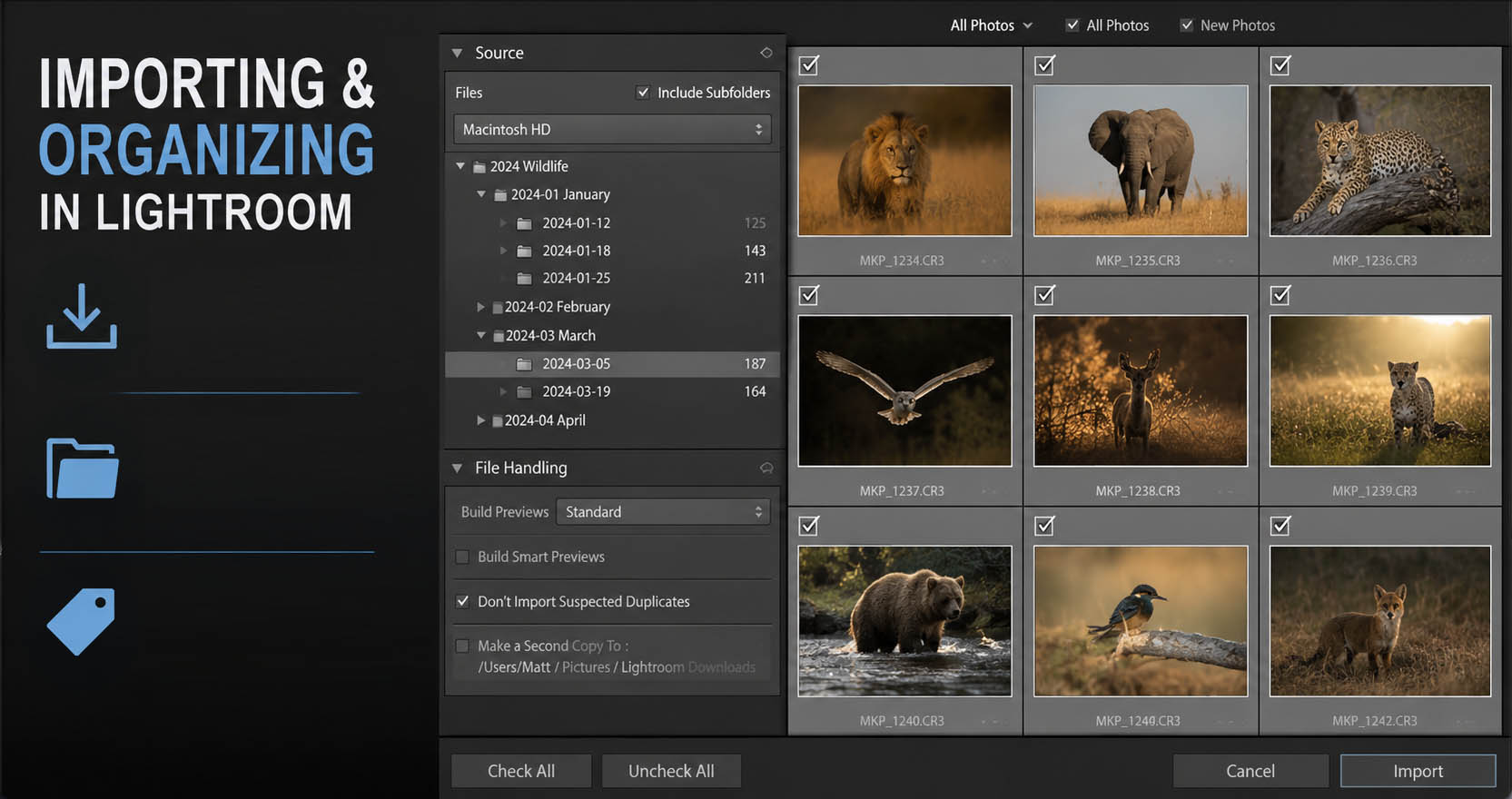
Importing and Organizing
Start with a simple and repeatable import and organizing system. Then I’ll share 2 ways to help sort and cull those photos.
The first way has a bit of a safety net and a more gentle way to cull, to keep a lot of photos (just in case). I’ll also share culling methods of a “ruthless deleter of photos” (like me), to help you keep your library small and easy to work with.
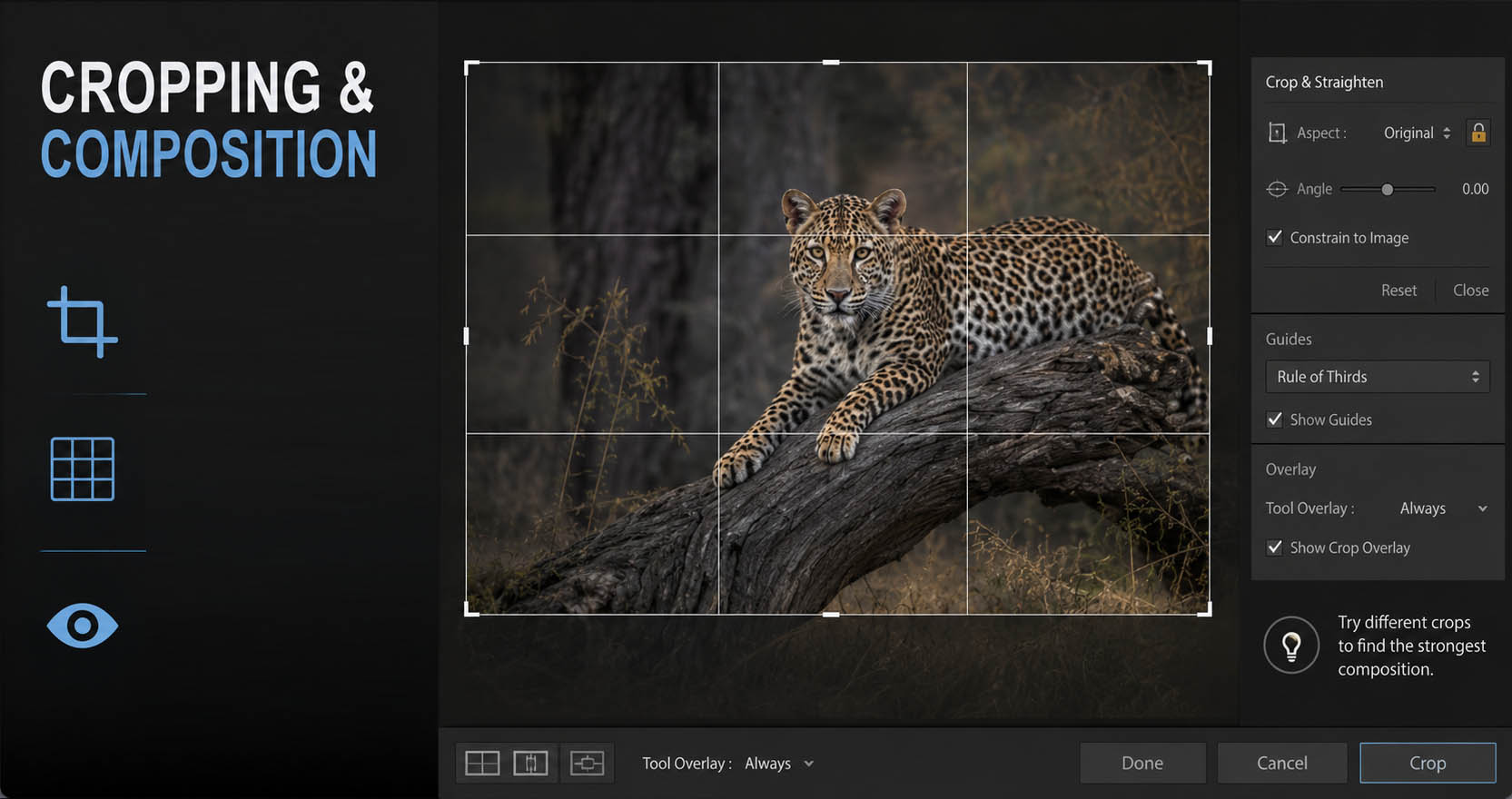
The Basics – Cropping and Composition
Learn how to get the best crop that shows off the wildlife and its environment. We’ll cover the basic cropping ideas for wildlife, what the well known rules are, and even when to break them.
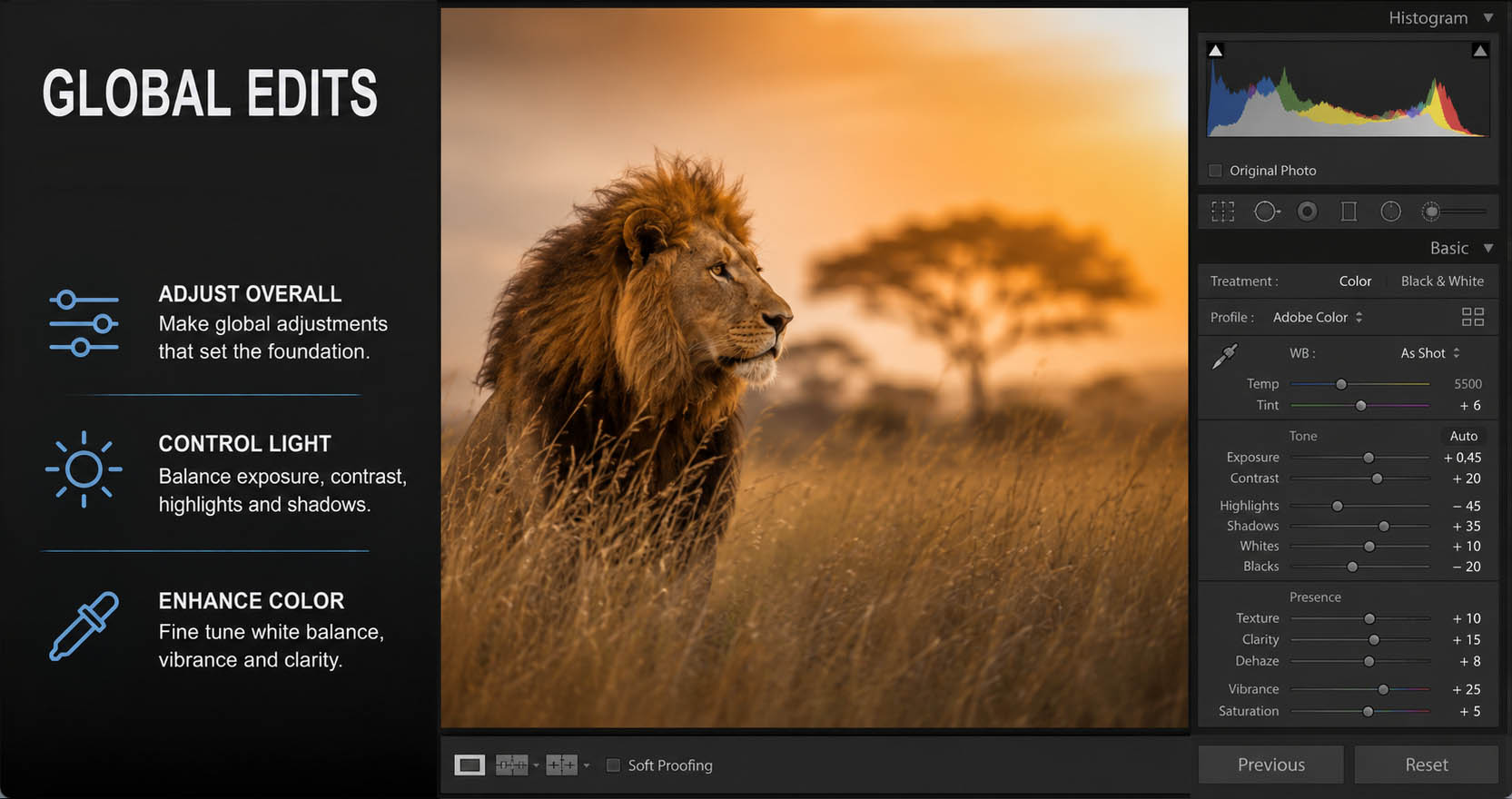
Global Changes
This will be your first introduction to the TCC System – how to look at your photos using Tone, Color, and Contrast.
Start off the right way with global changes. You’ll learn when and why we’d want to do global changes to the photo.
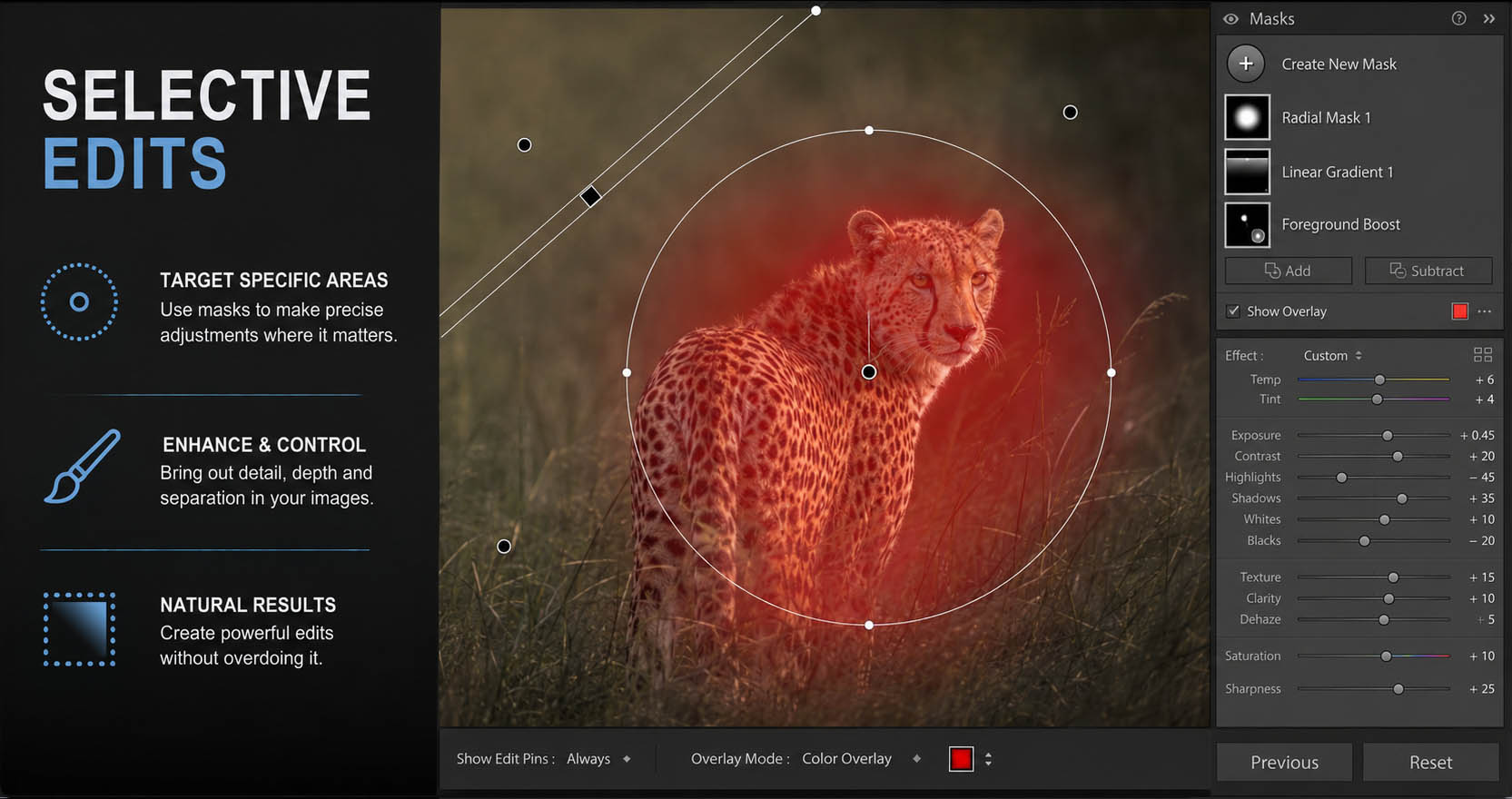
Selective Changes
Directing attention is one of the top things I try to keep in mind when working on a wildlife photo. I want to show off the wildlife, and help move the viewers eye through the photo.
We’ll use the TCC System once again here, but this time to talk more about selective edits rather than global ones.
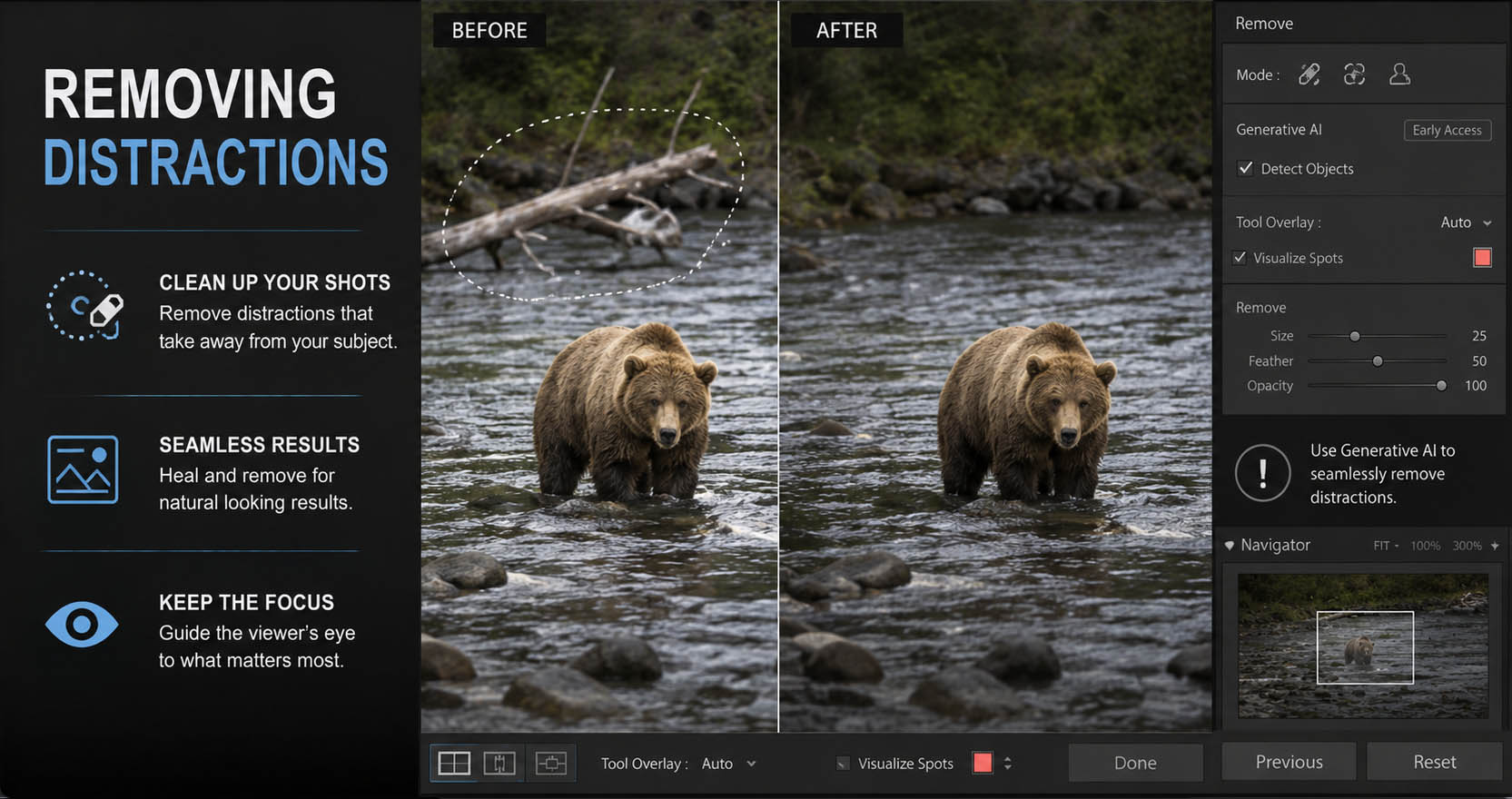
Removing Distractions
Learn the techniques to remove distracting elements from your photos. While your traditional contests may not allow for some of these tools to be used, you probably have photos that you just want to show off, put in your portfolio, or hang on the wall and knowing how to remove simple distractions can help them look their best.
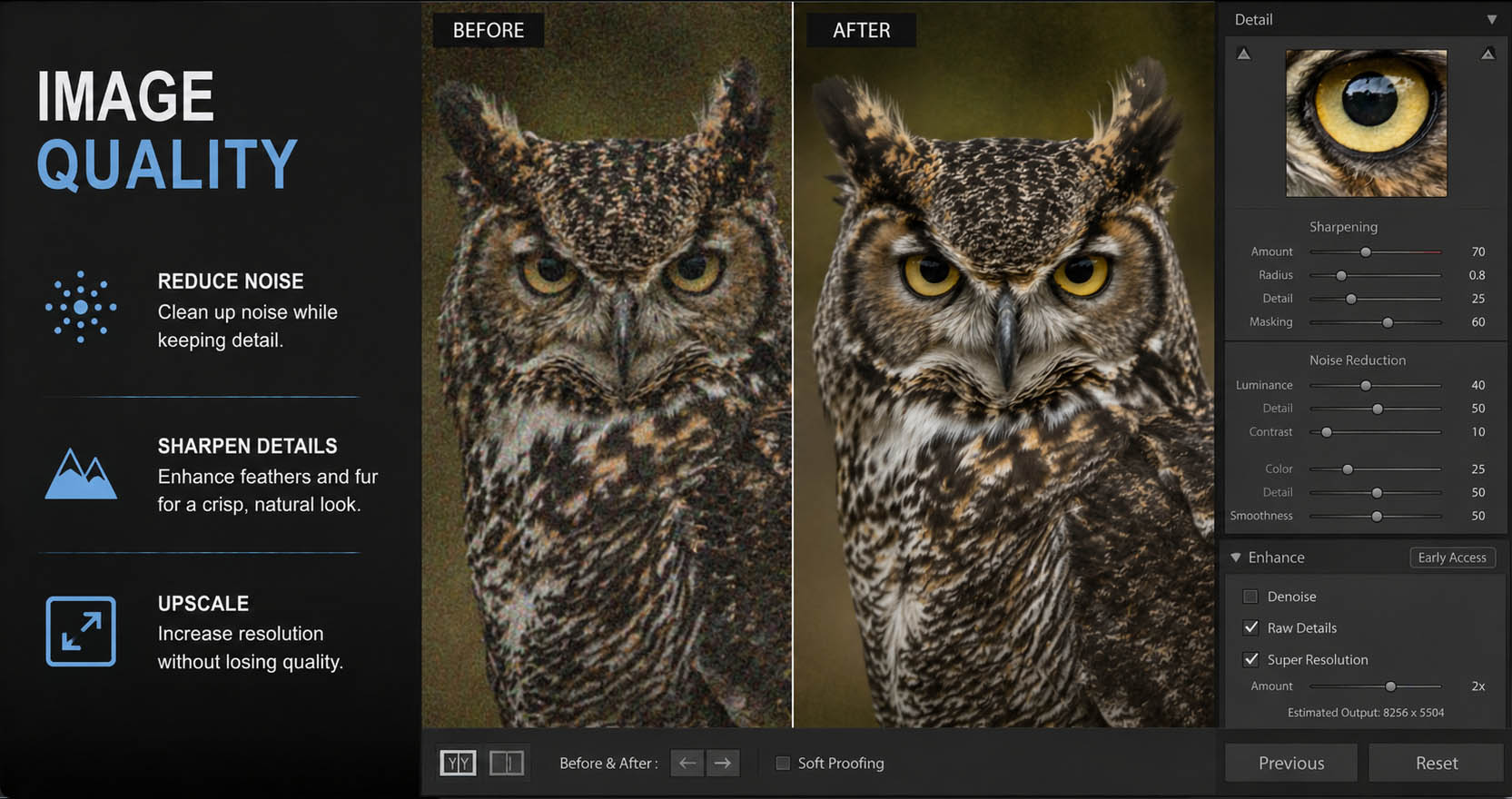
Image Quality Control + Plug-Ins
Because wildlife is often done in low light, at a distance the needs we have for these photos differ from say most of our other landscape, nature, travel or street photography.
Knowing what image quality issues are (like noise, sharpness and upscaling) and how to handle them (whether it’s Lightroom or a plug-in) is an important part of wildlife photography.
LEARN FROM EXPERIENCE
BUILT BY A WILDLIFE PHOTOGRAPHER
This course is packed with real-world techniques I use every day in my editing. My goal is simple: to help you create photos that you’re proud of.
STRUCTURED WORKFLOW
Not scattered tips and tricks – a thoughtfully structured course designed to build real editing skills, one lesson at a time.
LEARN THE "TCC" SYSTEM
The editing framework that brings clarity to your workflow – so you know what to adjust and why.
COMPLETE EDIT WALKTHROUGHS
Watch real wildlife edits from the very start to finish – from untouched RAW files to polished final photos.
GET A LOOK INSIDE
The course contains 35 lessons and includes all follow along images.
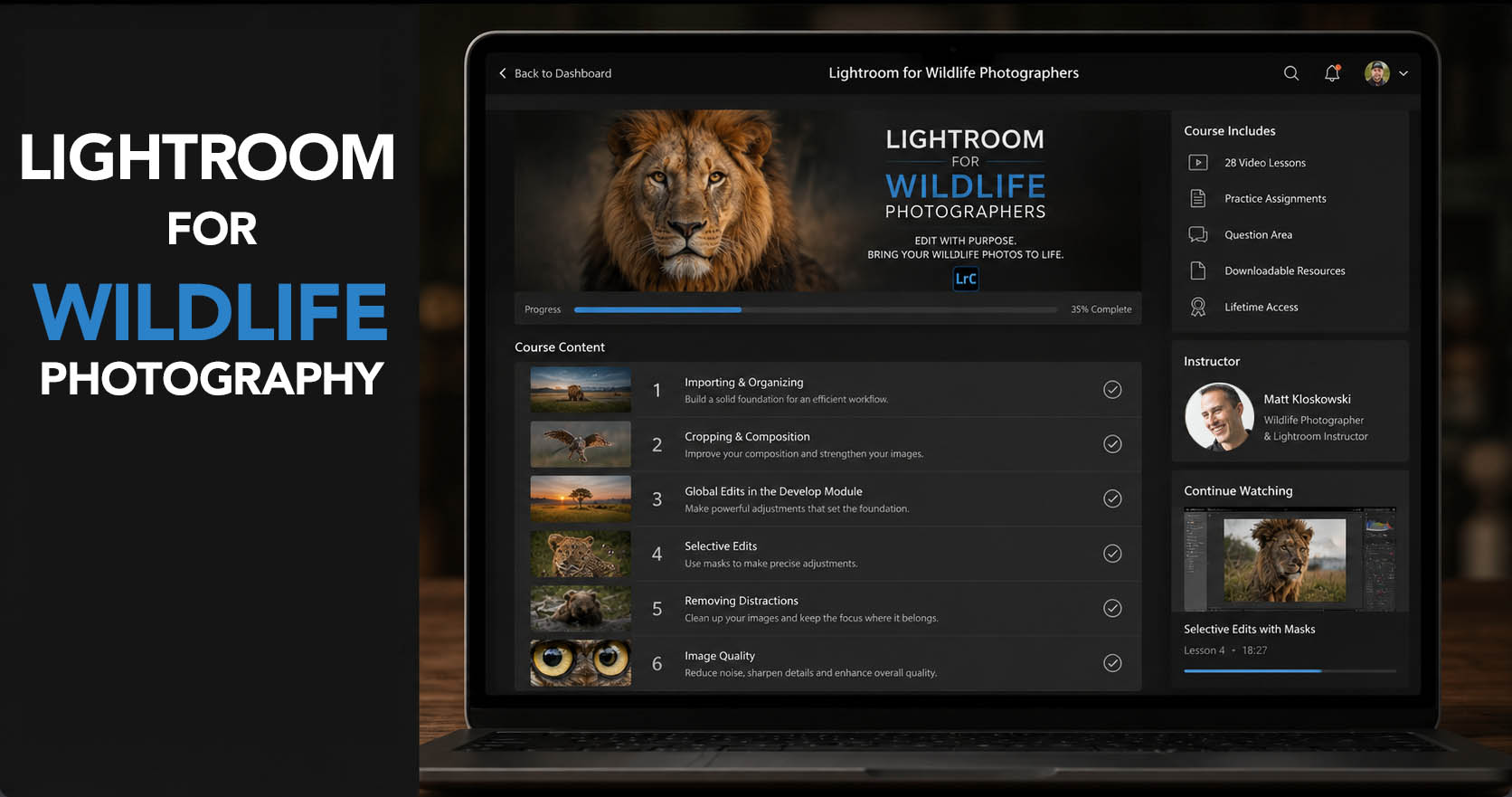
see the course outline
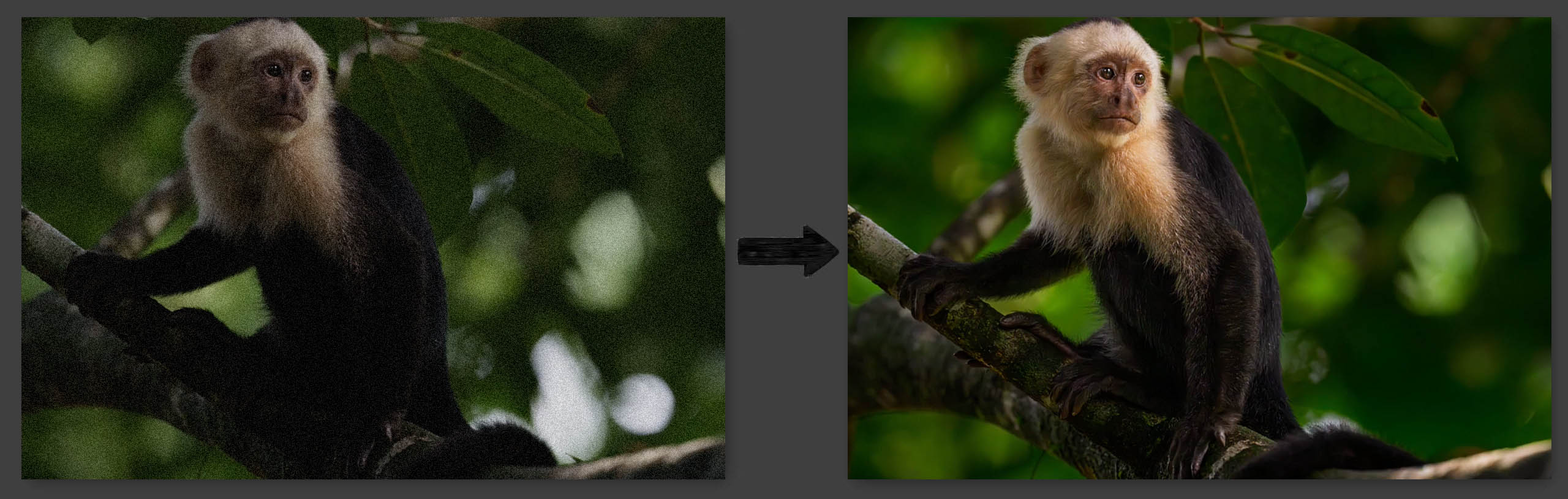
See the results…
Here are some before and afters using my techniques
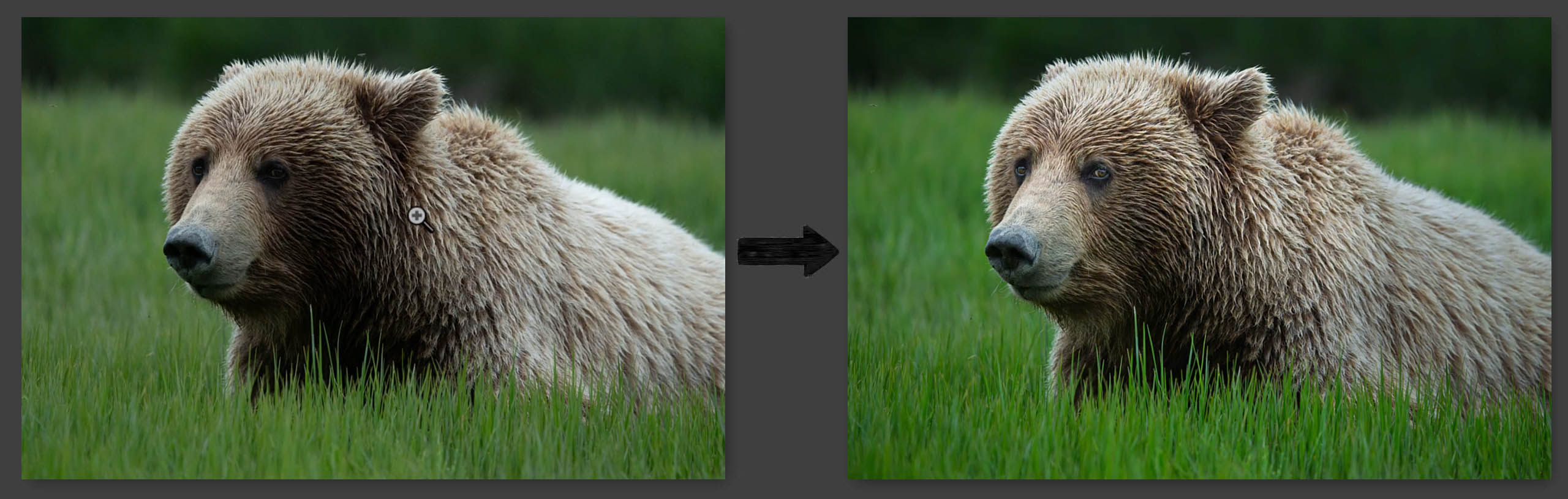
Enhance and shape the light
Removing Distractions
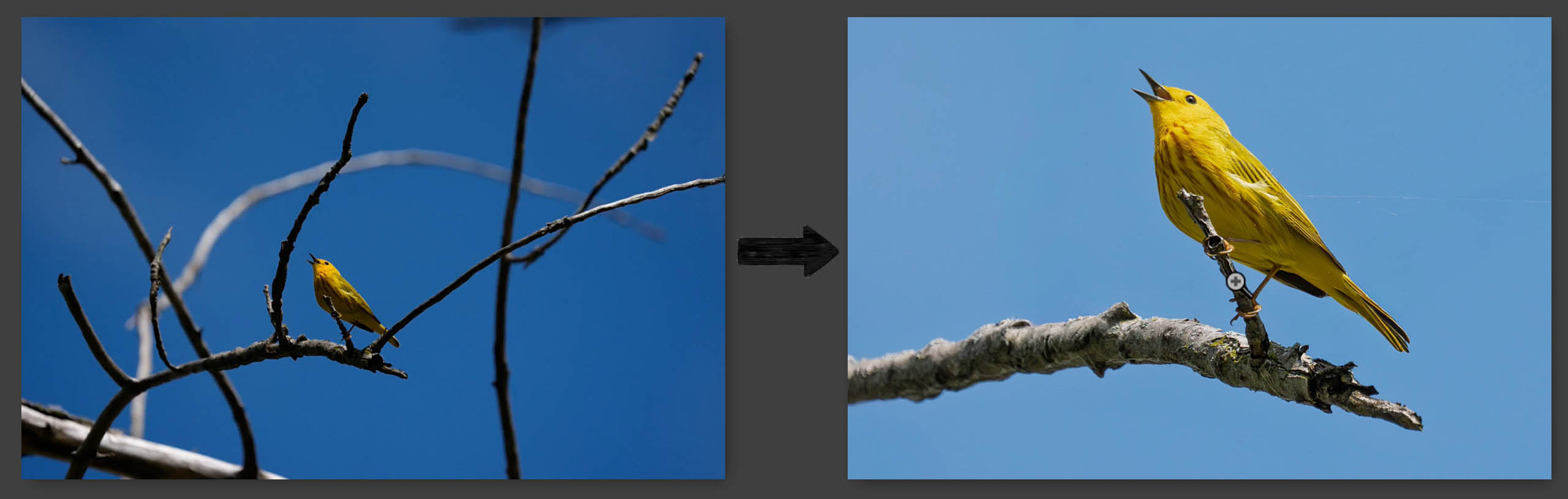
make your subjects (NATURALLY) stand out
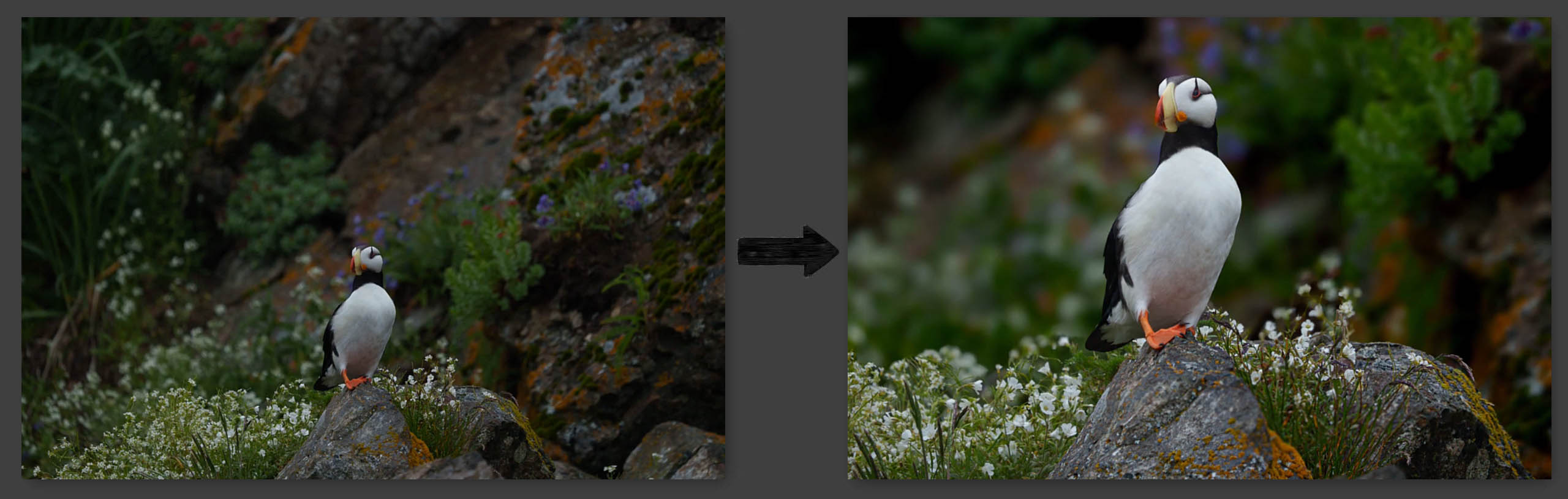
Balance Dark shadows and bright areas
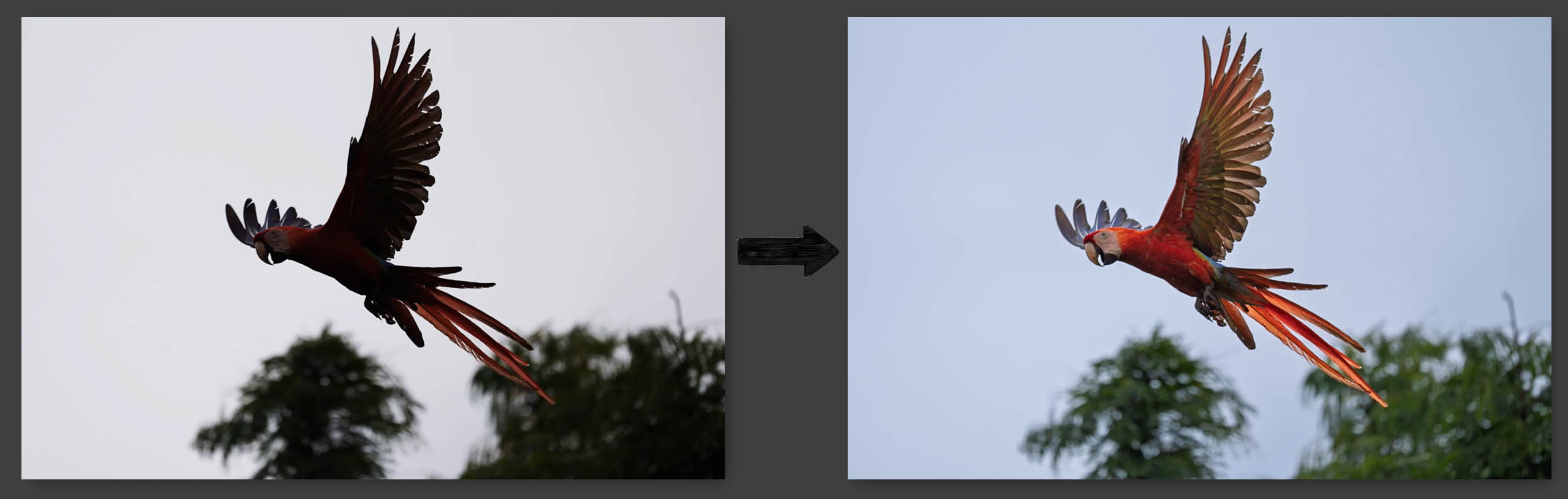
Help cure the dreaded Bright Sky… Dark Bird
A lot of free tutorials show you sliders, settings, and techniques. But they never really explain why you’re making those adjustments in the first place.
In this course, I want to help you build a clear editing workflow — so you know what your photo needs before you start moving settings around.
Because better wildlife photos don’t come from random edits. They come from having a good and repeatable system.
That’s why this course is built around my TCC Workflow — helping you understand how Tone, Color, and Contrast work together to shape the final image.
The result is editing that feels more consistent, a lot less overwhelming, and most important… it feels like yours. No copying someone else’s style and hoping it works on your photos. Just a practical workflow you can use again and again.
This isn’t just another lightroom course
“I haven’t been a wildlife photographer for 40 years and I don’t have photos in magazines or galleries. I’ve learned it over the last 10+ years and I know exactly the problems people go through, because I go through them too!”
– Matt Kloskowski (wanna-be wildlife photographer, but really-good-at-teaching guy)
Purchase the Course
Pricing
Price is in US Dollars
Lightroom For Wildlife Photographers
$129.99
$99.99
INCLUDES:
- All Course Videos
- 30 Lessons
- 5 Start to Finish video walkthroughs
- All follow along photos
BONUS FREE VIDEOS
Frequently asked questions
IS THIS THE SAME AS YOUR OLDER WILDLIFE EDITING SECRETS COURSE?
No. The Wildlife Editing Secrets course came out 5 years ago and is outdated at this point. I have updated it over the years for free, but we’re at the point where updates no longer make sense as too much has changed.
This is not an update or an upgrade. This is an entirely newly recorded course. Keep in mind that doesn’t mean the content is new. Exposure is exposure. Sharpening is sharpening and the basic way we edit a photo hasn’t changed much since my original version of this course.
If you feel that you know Lightroom Classic and wildlife editing well enough, then you can skip this course. If you haven’t kept up with changes over the last 5 years, then you may want to check out the new course.
Also, I recorded a quick video on this page that probably says it better than I can write it. So if you’re on the fence and not sure, hopefully this video helps.
WILL I GET A FREE UPGRADE IF I'VE PURCHASED THE OLD WILDLIFE EDITING SECRETS COURSE?
This is not an update or a free upgrade. This is an entirely new course.
If you feel that you know Lightroom Classic and wildlife editing well enough, then you can skip this course. If you haven’t kept up with changes over the years, then you may want to check out the new course.
HOW CAN I WATCH THIS COURSE? ONLINE OR DOWNLOAD? HOW MANY COMPUTERS?
The course is available to stream online through mattk.com and you’ll have lifetime access. You can watch it online on up to two computers at the same time.
You also have the option to download the course to your computer as well. However, due to the large size and high quality videos in this course, it is very large.
WHAT SOFTWARE DOES THIS COURSE COVER?
This course was created using Lightroom Classic since that’s what most people use. However, the same techniques apply to Lightroom (Desktop) and Photoshop’s Adobe Camera Raw. Video is included to show you how to apply the same settings in both Lightroom (Desktop) and Adobe Camera Raw.
I have included detailed video that show you what interface differences there are between what I teach and Lightroom Desktop and Adobe Camera Raw.
If you are advanced enough to use Adobe software, I promise that you are more than capable of seeing the small interface differences and adapting these techniques to either program.
WILL THIS COURSE WORK FOR LIGHTROOM (DESKTOP)? ISN'T THAT WHAT YOU USE MATT?
The course was created in LR Classic. When it comes to organizing, the videos can (mostly) be applied to Lightroom (Desktop) the same.
When it comes to editing, I have included a detailed video that shows you what interface differences there are between what I teach and Lightroom Desktop.
If you are advanced enough to use Adobe software, I promise that you are more than capable of seeing the small interface differences and adapting these techniques to either program.
On the question about what I use, yes I use Lightroom Desktop as well. But I also know that most people still use LR Classic which is why most of my videos are created in it. Luckily, any organizing that I teach works almost the same between the two, and the editing is identical. So it just doesn’t matter what version we use – the important stuff is the same.
But I use Photoshop to edit my photos - will this work?
If by using Photoshop you mean you open your raw photos in to Adobe Camera Raw, then yes this will work (see above question). ACR is the same as Lightroom Classic when it comes to edit settings and I have included a video for you to show you how.
If you mean you bypass ACR and go in to the Photoshop interface to edit your photos using layers, etc… then you are using a legacy workflow that no photography course has supported in over a decade (not just mine).
I don’t want to appear too blunt, but you will not find a wildlife editing course that only uses the main Photoshop interface, layers, more difficult masking and less effective tone and color adjustments… That is a workflow that nearly all wildlife photographers you follow would not suggest.
IS IT FOR BEGINNERS OR ADVANCED?
This course assumes a late beginner working knowledge of Lightroom.
You have to know how to get your photos in to Lightroom along with navigating the Library and Develop module.
From there, I’ll show you my workflow and how I use the tools to organize and edit.
So if you know enough about Lightroom Classic and how to use the basics, but lack the workflow for wildlife, this is the right course fo ryou.
DO I HAVE TO START THIS COURSE ON A CERTAIN DAY OR FOLLOW A SCHEDULE?
No, not at all. This is self-paced. When you purchase the course you’ll have lifetime access to it. You can watch them at any time, on your own schedule. There are no specific dates that you need to follow for the course.
If you purchase the upgrade to the “Guided Edit Experience”, then please watch the video above in that section to find out more.
IS THIS A SUBSCRIPTION?
Nope. It’s a one time purchase. You will download these videos to your computer (or watch them online) and you can keep them and watch them whenever you’d like.

“I’m a guy that really loves to teach!”
